 S
S
ScratchPad
0Tabbed Markdown notes in your menu bar
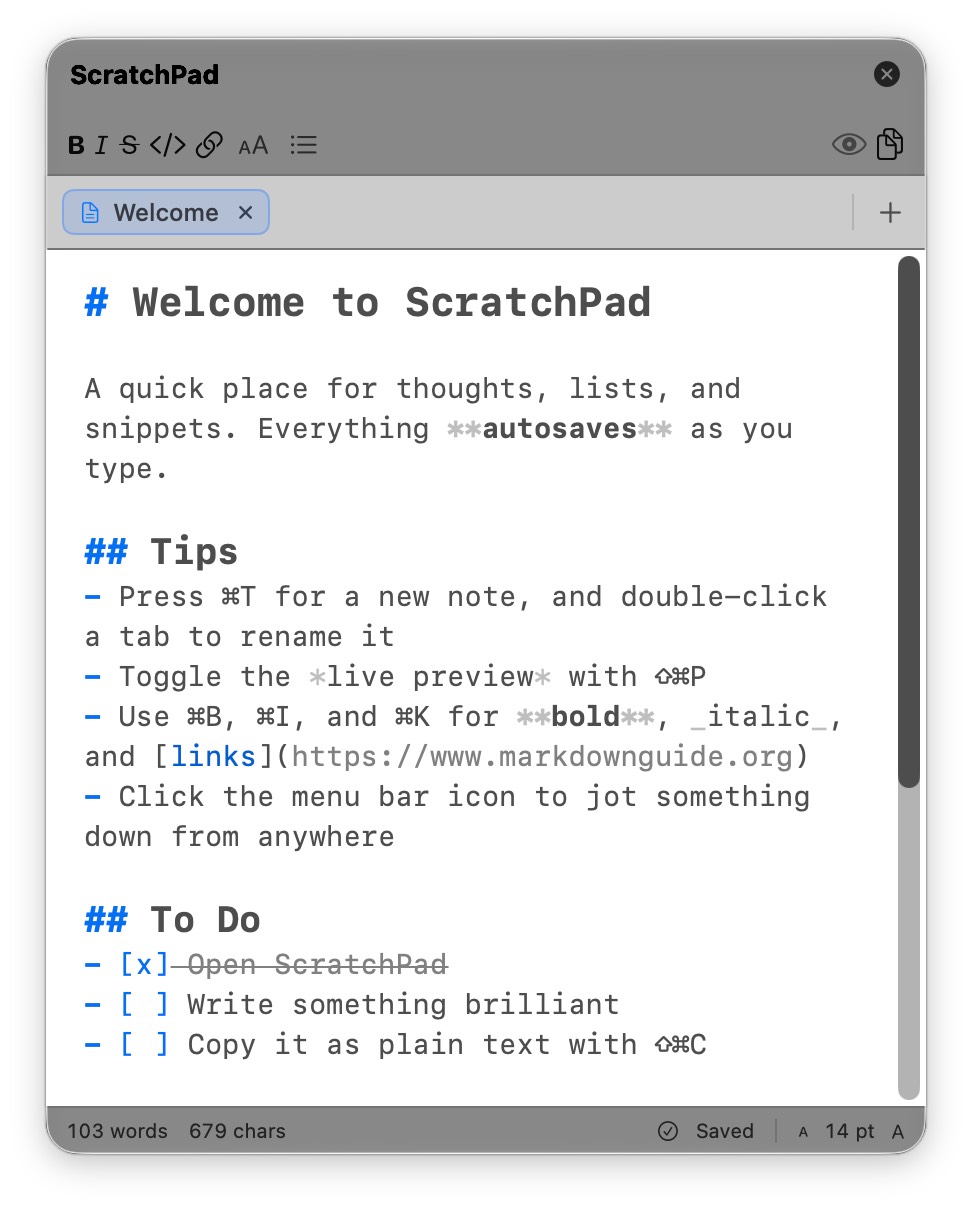
ScratchPad is a quick-access notepad that lives in your menu bar. Click the icon, jot something down, and get back to what you were doing. Your notes are right where you left them. Write in Markdown with live syntax highlighting, and flip on the preview whenever you want to see it rendered, including headings, lists, quotes, code blocks, tables, and checklists you can tick off right in the preview. • Multiple notes in tabs: add, rename, duplicate, reorder, and delete them • Formatting shortcuts for bold (⌘B), italic (⌘I), strikethrough, links (⌘K), headings, bulleted and numbered lists, checklists, quotes, code blocks, and dividers • Lists continue automatically when you press Return • Copy as Plain Text (⇧⌘C) strips the Markdown, which is handy for pasting into email or chat • Live word and character counts, including counts for your current selection • Adjustable text size (⌘− and ⌘=) • Autosaves as you type, with a status indicator so you always know your notes are safe ScratchPad works entirely on your Mac. There is no account and no network access, and it needs no special permissions.
Permissions
Versions
Version 1 Oct 25, 2026 Current
- Published
- Oct 25, 2026
- App Type
- Menu Bar App
- Permissions
- None
- License
- MIT License
- Runtime
- ironsmith-0.0.0
- Source Hash
- b009cff5a4c04e074bb627d13b0925323356f8b83d92c2b0cc6e5ec787d1bac8