 PP
PP
Palette Picker
0Pick screen colors and check contrast
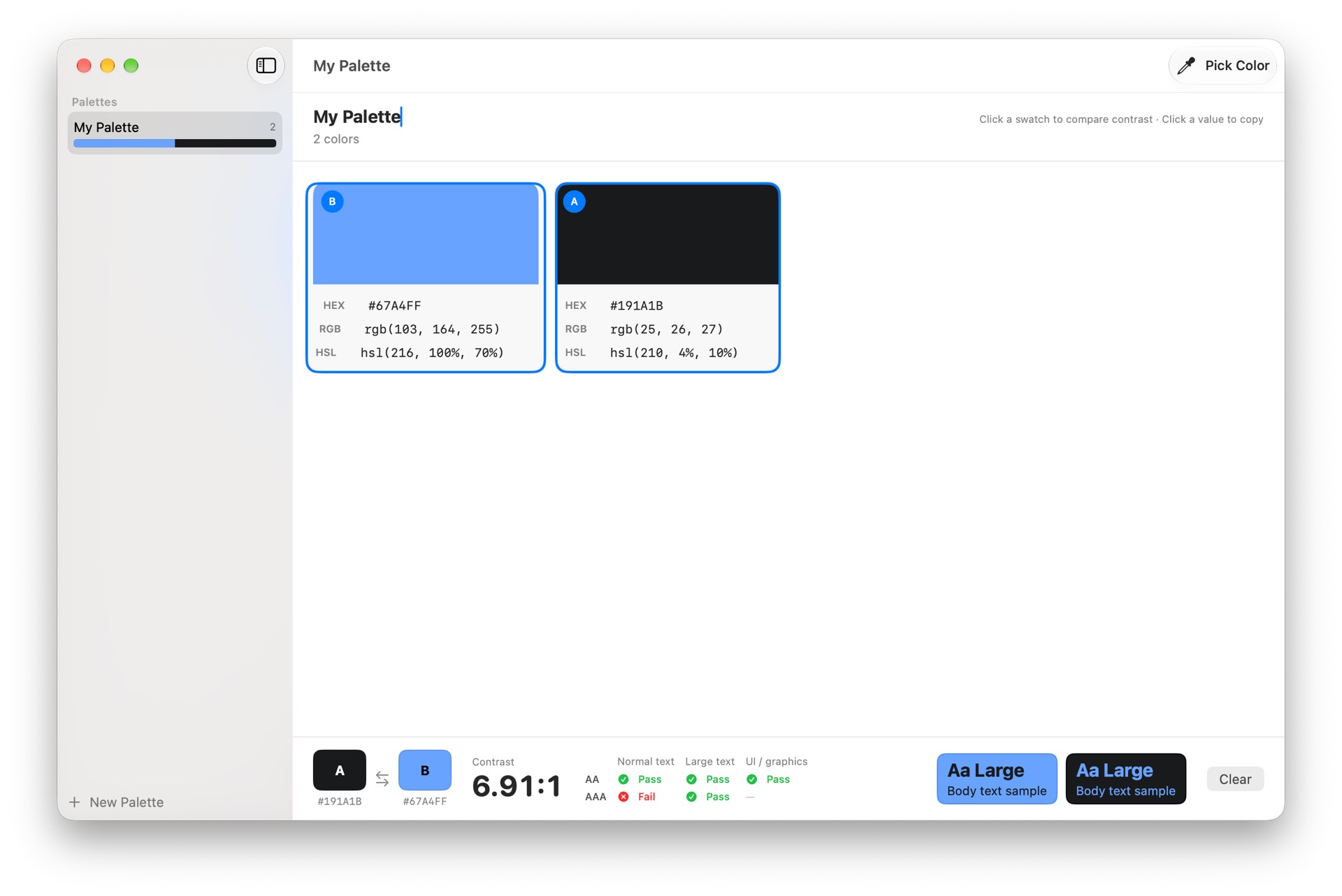
Palette Picker is an eyedropper and color palette keeper for your Mac. Sample any color from anywhere on your screen, save it to a palette, and copy it in the format you need. Press ⇧⌘P (or click the eyedropper), then click any pixel on screen. The color is added to your current palette as a swatch showing its HEX, RGB, and HSL values. Click any value to copy it to your clipboard. • Create as many named palettes as you like, and rename or delete them anytime • Sample colors from any app, website, or image on your screen • Copy HEX, RGB, or HSL values with a single click • Select any two swatches, even from different palettes, to see their WCAG contrast ratio • Check AA and AAA compliance for normal text, large text, and UI elements, with a live text sample on your chosen colors • Swap foreground and background to test both directions • Your palettes are saved automatically and are there when you come back Palette Picker works entirely on your Mac. There is no account and no network access, and it needs no special permissions.
Permissions
Versions
Version 1 Oct 25, 2026 Current
- Published
- Oct 25, 2026
- App Type
- Window App
- Permissions
- None
- License
- MIT License
- Runtime
- ironsmith-0.0.0
- Source Hash
- 3ae32fab95066aa9c4261475be7b1af50a79dfc2d553b87f43becb105bac7165